
Immutable Backups and Cyber Insurance: What Business Owners Need to Know
Immutable backups are backup copies locked against changes or deletion for a defined period. Cyber insurance applications ask about them because ransomware attackers target backups as well as working data. A recovery copy that survives the attack gives your business a way to restore operations.
For an owner or managing partner, the question is whether the company can recover after someone gains access to its systems. That includes the backups themselves.
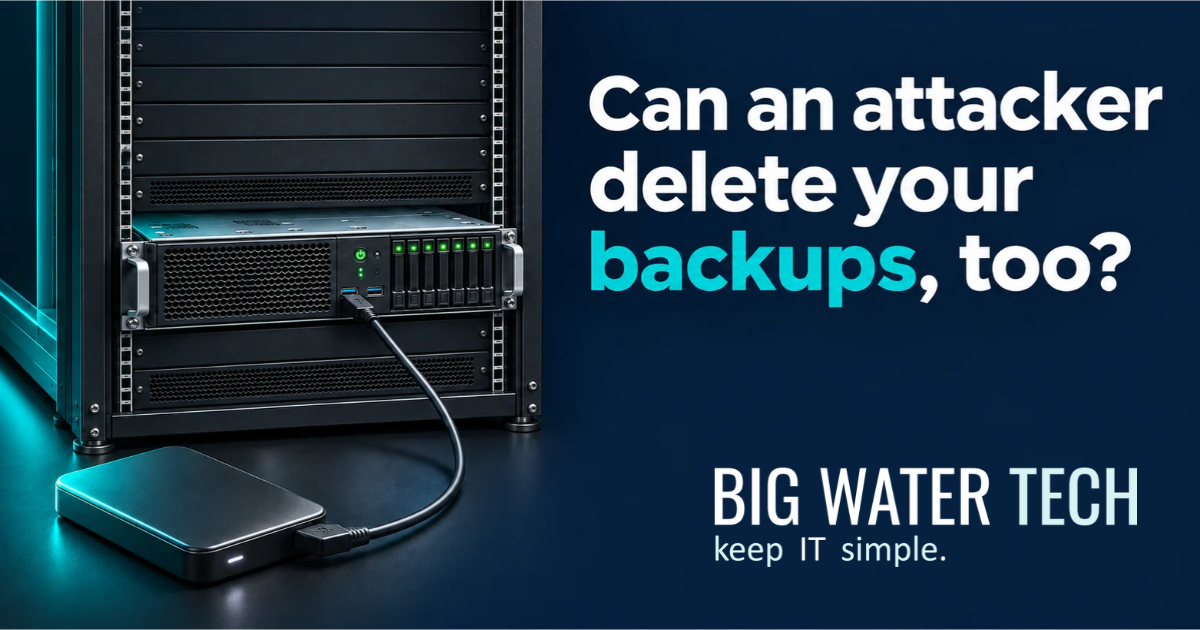
An external drive plugged into the server answers a different question. It shows you have somewhere to put another copy. Whether that copy survives an attack takes more investigation.
Why do cyber liability insurance applications ask about immutable backups?
Cyber insurers ask about immutable backups to assess how well a business can recover when an attacker attempts to destroy its data.
This is already reflected in carrier applications. At-Bay’s Technology & Cyber renewal application asks whether critical backup copies are immutable during their retention window. Markel’s Cyber 360 supplemental application asks about immutability and restore testing.
The practical concern is recovery. Losing access to your accounting system is disruptive. Discovering that the attacker also deleted the backups makes the problem much harder to resolve.
An application asking about immutability is asking about a specific protection. Answering “we back up every night” does not establish that protection. Requirements differ by carrier and policy, so have your IT team verify the actual configuration against the application’s wording.
What is an immutable backup?
An immutable backup is a copy that cannot be altered or deleted during its enforced retention period. For example, a backup locked for 30 days protects that copy throughout the lock period.
Your provider should be able to identify which copies are locked and explain whether an administrator can override the protection. Buying software that supports immutability does not mean it has been enabled.
Immutability also preserves what was copied. If a backup contains corrupted files, locking it does not repair them. You still need enough backup history to return to a usable point before the damage occurred.
What is the difference between immutable and air-gapped backups?
Immutability prevents changes to a backup. Air gapping isolates the backup from the systems being protected. A backup design can use both protections.
Protection | What it does | Example |
|---|---|---|
Immutable backup | Locks a backup against modification or deletion for a defined period. | A backup copy with an enforced 30-day retention lock. |
Physical air gap | Removes the network connection to the backup media. | A completed backup on disconnected media stored securely. |
Logical air gap | Uses enforced security boundaries to isolate backups while permitting controlled access. | A cloud backup vault isolated in a separate service-owned account. |
These labels describe different controls. Ask what would happen to each recovery copy if an attacker gained control of your normal administrator account.
Are cloud backups automatically immutable or air-gapped?
No. Sending a backup to the cloud establishes where it is stored. The service’s architecture and configuration determine how it is protected.
Some cloud backup services combine retention locks with logical isolation. AWS’s logically air-gapped vault, for example, stores backups in a service-owned account and uses a compliance-mode lock.
Have your provider explain what prevents deletion and how recovery works if your normal accounts become unavailable. Confirm who controls the encryption keys needed to restore.
A separate cloud location has limited value against an attacker who can use stolen credentials to delete every recovery copy.
Is an external hard drive connected to a server a safe backup strategy?
An ordinary writable external drive left connected to a server is insufficient as the business’s only backup protection. Malware with the necessary access can affect attached storage, leaving the working data and backup exposed to the same incident.
Disconnecting the drive removes that direct connection. Storing it securely offsite also protects against damage at the office.
Taking a drive offsite is a legitimate precaution. The weakness is relying entirely on a manual routine. Someone has to verify that the backup completed and rotate the drives consistently. Sensitive information also needs protection during transport and storage.
If the last drive went home Friday, what happens to the work completed Monday and Tuesday? If the person carrying it is unavailable, who retrieves it?
I would want those answers before making that routine the company’s entire recovery plan.
Does Microsoft 365 need to be included in the backup plan?
Yes. The recovery plan needs to account for business data in Microsoft 365 and confirm whether the available recovery capabilities meet your requirements.
Microsoft provides recovery features and offers Microsoft 365 Backup. Its documentation distinguishes service disaster recovery from restoring earlier healthy data. It also explains that version history has limitations for recovery at the scale of a ransomware incident.
Have your IT team identify the protected mailboxes and file locations, including SharePoint files accessed through Teams. Confirm retention and test the recovery process. Evaluate Microsoft’s backup service or a suitable third-party service against those needs.
“It’s in Microsoft 365” is not a complete answer to “how do we recover it?”
Are financial files more secure when stored locally?
No. Keeping financial files on a local computer does not automatically make them more secure. Security depends on the controls protecting the device and information, together with reliable recovery arrangements.
Consider a bookkeeper who keeps the working financial file in a local folder because it feels safer. The business backs up its server and Microsoft 365, but that folder is excluded.
The company now has important information outside its backup coverage. A failed drive threatens that file, even without a cyberattack.
For a Michigan manufacturer, that file might support payroll. For a professional services firm, it might contain the current billing reconciliation. Its importance does not change because someone saved it on a desktop.
Move it into an approved, protected location or explicitly include that local folder in managed backup coverage. Verify the result with a restore.
What should a business verify before answering insurance backup questions?
Have your IT team document the actual backup coverage and recovery process. Use the carrier’s application to guide the review.
Management question | Evidence to request |
|---|---|
What business information is covered? | An inventory that accounts for Microsoft 365 and locally stored data, alongside critical systems. |
Which copies are immutable? | The enabled retention settings and an explanation of any administrative override. |
What survives compromised administrator credentials? | The backup isolation and access controls, including the recovery access process. |
How much work would we lose? | The age of the latest usable recovery point for each critical system. |
How long would recovery take? | Restore-test results that include the applications needed to resume work. |
Clarify ambiguous application language. Your IT team should verify the technical answers using the settings actually in place.
Common questions about immutable backups and cyber insurance
Does every cyber insurance policy require immutable backups?
No universal requirement applies to every policy. Some applications explicitly ask about immutability. Confirm your carrier’s requirements using the application and policy documents with your broker.
Does encryption make a backup immutable?
No. Encryption protects the confidentiality of backup data. Immutability prevents modification or deletion during the retention lock. An encrypted backup still needs protection against destruction.
Does having immutable backups guarantee recovery from ransomware?
No. You need a usable recovery point and a tested process for restoring the required systems. Protected backups also do not reverse the theft of confidential information.
How long should immutable backups be retained?
The retention period should reflect your business’s recovery needs and how far back you need to recover, alongside applicable obligations. Have your IT team explain the chosen period and how it handles damage discovered after a delay.
At Big Water Technologies, we help Michigan businesses review backup coverage, including Microsoft 365 and information stored locally. If your next cyber insurance application asks about immutable backups, we can help verify what is in place and identify the gaps.
I would want that review to include the financial file on the bookkeeper’s computer. That is exactly the kind of information a business discovers it needed after the server backup has already been restored.

Ready For A No-Nonsense Approach To IT?
Hire us to set your IT strategy up for sustainable success.
Learn about our proven No-Nonsense approach.
Get an IT roadmap designed specifically for you.
Fearlessly grow your business.
Get in Touch with us!
Call us at (248) 220-7714 or or fill out the form below.
Categories
Featured Posts
Immutable Backups and Cyber Insurance: What Business Owners Need to Know
Immutable backups are backup copies locked against changes or deletion for a defined period. Cyber insurance applications ask about them because ransomware attackers target backups as well as working data. A recovery copy that survives the attack gives your business a way to restore operations.
For an owner or managing partner, the question is whether the company can recover after someone gains access to its systems. That includes the backups themselves.
An external drive plugged into the server answers a different question. It shows you have somewhere to put another copy. Whether that copy survives an attack takes more investigation.
Why do cyber liability insurance applications ask about immutable backups?
Cyber insurers ask about immutable backups to assess how well a business can recover when an attacker attempts to destroy its data.
This is already reflected in carrier applications. At-Bay’s Technology & Cyber renewal application asks whether critical backup copies are immutable during their retention window. Markel’s Cyber 360 supplemental application asks about immutability and restore testing.
The practical concern is recovery. Losing access to your accounting system is disruptive. Discovering that the attacker also deleted the backups makes the problem much harder to resolve.
An application asking about immutability is asking about a specific protection. Answering “we back up every night” does not establish that protection. Requirements differ by carrier and policy, so have your IT team verify the actual configuration against the application’s wording.
What is an immutable backup?
An immutable backup is a copy that cannot be altered or deleted during its enforced retention period. For example, a backup locked for 30 days protects that copy throughout the lock period.
Your provider should be able to identify which copies are locked and explain whether an administrator can override the protection. Buying software that supports immutability does not mean it has been enabled.
Immutability also preserves what was copied. If a backup contains corrupted files, locking it does not repair them. You still need enough backup history to return to a usable point before the damage occurred.
What is the difference between immutable and air-gapped backups?
Immutability prevents changes to a backup. Air gapping isolates the backup from the systems being protected. A backup design can use both protections.
Protection | What it does | Example |
|---|---|---|
Immutable backup | Locks a backup against modification or deletion for a defined period. | A backup copy with an enforced 30-day retention lock. |
Physical air gap | Removes the network connection to the backup media. | A completed backup on disconnected media stored securely. |
Logical air gap | Uses enforced security boundaries to isolate backups while permitting controlled access. | A cloud backup vault isolated in a separate service-owned account. |
These labels describe different controls. Ask what would happen to each recovery copy if an attacker gained control of your normal administrator account.
Are cloud backups automatically immutable or air-gapped?
No. Sending a backup to the cloud establishes where it is stored. The service’s architecture and configuration determine how it is protected.
Some cloud backup services combine retention locks with logical isolation. AWS’s logically air-gapped vault, for example, stores backups in a service-owned account and uses a compliance-mode lock.
Have your provider explain what prevents deletion and how recovery works if your normal accounts become unavailable. Confirm who controls the encryption keys needed to restore.
A separate cloud location has limited value against an attacker who can use stolen credentials to delete every recovery copy.
Is an external hard drive connected to a server a safe backup strategy?
An ordinary writable external drive left connected to a server is insufficient as the business’s only backup protection. Malware with the necessary access can affect attached storage, leaving the working data and backup exposed to the same incident.
Disconnecting the drive removes that direct connection. Storing it securely offsite also protects against damage at the office.
Taking a drive offsite is a legitimate precaution. The weakness is relying entirely on a manual routine. Someone has to verify that the backup completed and rotate the drives consistently. Sensitive information also needs protection during transport and storage.
If the last drive went home Friday, what happens to the work completed Monday and Tuesday? If the person carrying it is unavailable, who retrieves it?
I would want those answers before making that routine the company’s entire recovery plan.
Does Microsoft 365 need to be included in the backup plan?
Yes. The recovery plan needs to account for business data in Microsoft 365 and confirm whether the available recovery capabilities meet your requirements.
Microsoft provides recovery features and offers Microsoft 365 Backup. Its documentation distinguishes service disaster recovery from restoring earlier healthy data. It also explains that version history has limitations for recovery at the scale of a ransomware incident.
Have your IT team identify the protected mailboxes and file locations, including SharePoint files accessed through Teams. Confirm retention and test the recovery process. Evaluate Microsoft’s backup service or a suitable third-party service against those needs.
“It’s in Microsoft 365” is not a complete answer to “how do we recover it?”
Are financial files more secure when stored locally?
No. Keeping financial files on a local computer does not automatically make them more secure. Security depends on the controls protecting the device and information, together with reliable recovery arrangements.
Consider a bookkeeper who keeps the working financial file in a local folder because it feels safer. The business backs up its server and Microsoft 365, but that folder is excluded.
The company now has important information outside its backup coverage. A failed drive threatens that file, even without a cyberattack.
For a Michigan manufacturer, that file might support payroll. For a professional services firm, it might contain the current billing reconciliation. Its importance does not change because someone saved it on a desktop.
Move it into an approved, protected location or explicitly include that local folder in managed backup coverage. Verify the result with a restore.
What should a business verify before answering insurance backup questions?
Have your IT team document the actual backup coverage and recovery process. Use the carrier’s application to guide the review.
Management question | Evidence to request |
|---|---|
What business information is covered? | An inventory that accounts for Microsoft 365 and locally stored data, alongside critical systems. |
Which copies are immutable? | The enabled retention settings and an explanation of any administrative override. |
What survives compromised administrator credentials? | The backup isolation and access controls, including the recovery access process. |
How much work would we lose? | The age of the latest usable recovery point for each critical system. |
How long would recovery take? | Restore-test results that include the applications needed to resume work. |
Clarify ambiguous application language. Your IT team should verify the technical answers using the settings actually in place.
Common questions about immutable backups and cyber insurance
Does every cyber insurance policy require immutable backups?
No universal requirement applies to every policy. Some applications explicitly ask about immutability. Confirm your carrier’s requirements using the application and policy documents with your broker.
Does encryption make a backup immutable?
No. Encryption protects the confidentiality of backup data. Immutability prevents modification or deletion during the retention lock. An encrypted backup still needs protection against destruction.
Does having immutable backups guarantee recovery from ransomware?
No. You need a usable recovery point and a tested process for restoring the required systems. Protected backups also do not reverse the theft of confidential information.
How long should immutable backups be retained?
The retention period should reflect your business’s recovery needs and how far back you need to recover, alongside applicable obligations. Have your IT team explain the chosen period and how it handles damage discovered after a delay.
At Big Water Technologies, we help Michigan businesses review backup coverage, including Microsoft 365 and information stored locally. If your next cyber insurance application asks about immutable backups, we can help verify what is in place and identify the gaps.
I would want that review to include the financial file on the bookkeeper’s computer. That is exactly the kind of information a business discovers it needed after the server backup has already been restored.
Enroll in Our Email Course

Learn How a No-Nonsense IT Strategy Benefits Your ComBullet listpany:
Strategies to allocate your IT budget efficiently
Enhance cybersecurity defenses on a bButtonudget
Ensure your technology investments continue to serve your business as it grows

Looking to Switch?
© Copyright 2026 Big Water Tech. All Rights Reserved. Built in partnership with Tech Pro Marketing | Privacy Policy | Client Portal | Areas We Serve


